
Getting your product for FREE is simple. Follow the steps below carefully:
Step 1 — Browse Products on Dresslynn
Visit Dresslynn and explore available products.
🔗 While viewing a product on Dresslynn.com, you can click the “CLAIM 100% DISCOUNT COUPON NOW” button to open the coupon page on Deals.WallTik.com.
✅ Make sure the product is marked as eligible for the coupon promotion.
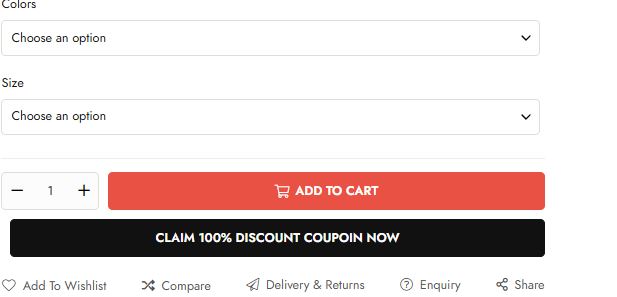
Step 2 — Purchase the Coupon on Deals.WallTik.com/dresslynn
After confirming your product selection:
- Purchase the matching 100% OFF coupon
- Complete checkout on Deals.WallTik.com
💳 Once payment is completed, your coupon code will be delivered automatically.
Step 3 — Check the Eligible Product
Click the “Check Eligible Product” button on the coupon page.
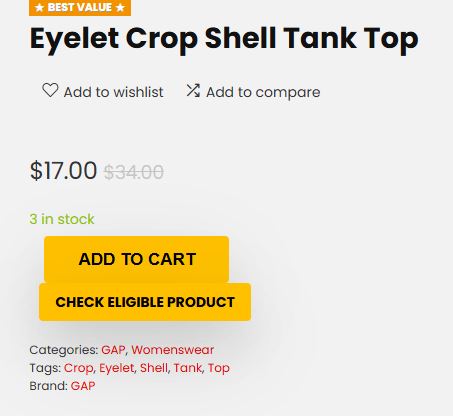
This will open the original product page on Dresslynn.com so you can:
- View product details
- Select your preferred size
- Select your preferred color
- Confirm product availability
🎨 The coupon applies to all available variants of the eligible product unless otherwise stated.
Step 4 — Add the Product to Cart on Dresslynn
Return to Dresslynn.com and:
- Add the eligible product to your cart
- Proceed to checkout
🛒 Make sure the product in your cart matches the eligible product linked on the coupon page.
Step 5 — Apply Your Coupon Code
At checkout:
- Find the coupon / promo code box
- Enter your coupon code
- Click “Apply”
🎉 The discount will automatically reduce the product price by 100% if the item is eligible.
⚠️ Important Notes
- Coupons only work for eligible products
- Coupons may expire or become unavailable without notice
- Orders that do not match the eligible product may not receive the discount
- Coupon availability may be limited during high-demand promotions
💎 Thank you for shopping with Dresslynn & WallTik Deals.
SMS Us if you get trouble: (+1)419-495-6879
or chat here, we will reply as soon as we can